
How to add Amazon Affiliate tags for different locales
Amazon has many different locales, such as the USA, Canada, Australia, the United Kingdom, Germany, and more.
You need a new account for each locale you wish to promote as an affiliate. Each locale will have a different affiliate tag (aka tracking id).
Please refer to our related guides below if you need help opening your Amazon Affiliate accounts.
How to Add Amazon Affiliate Tags for Each Locale
- Go to Store —> Settings —> Amazon Settings.
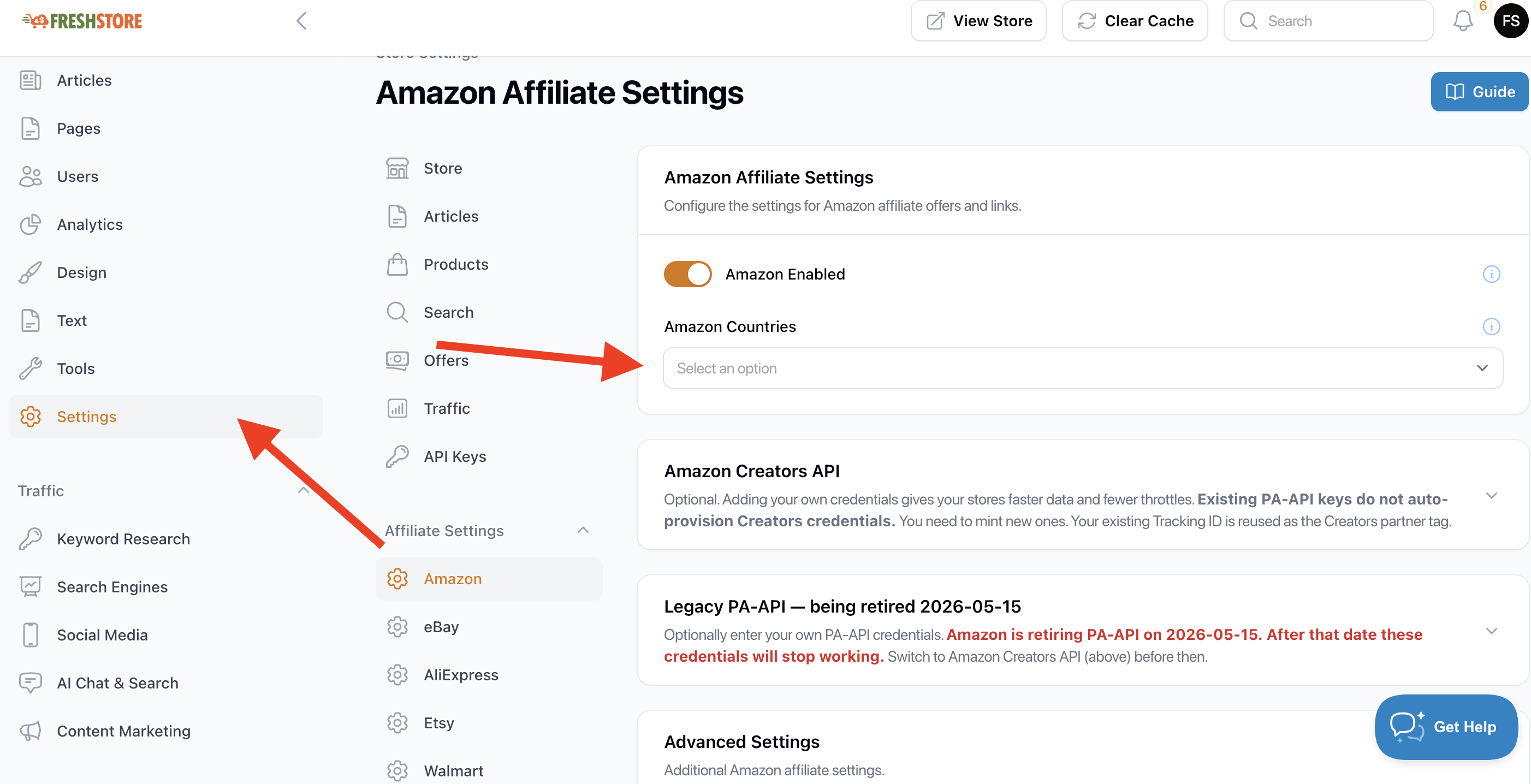
- Choose from the drop-down the store locale you want to add.
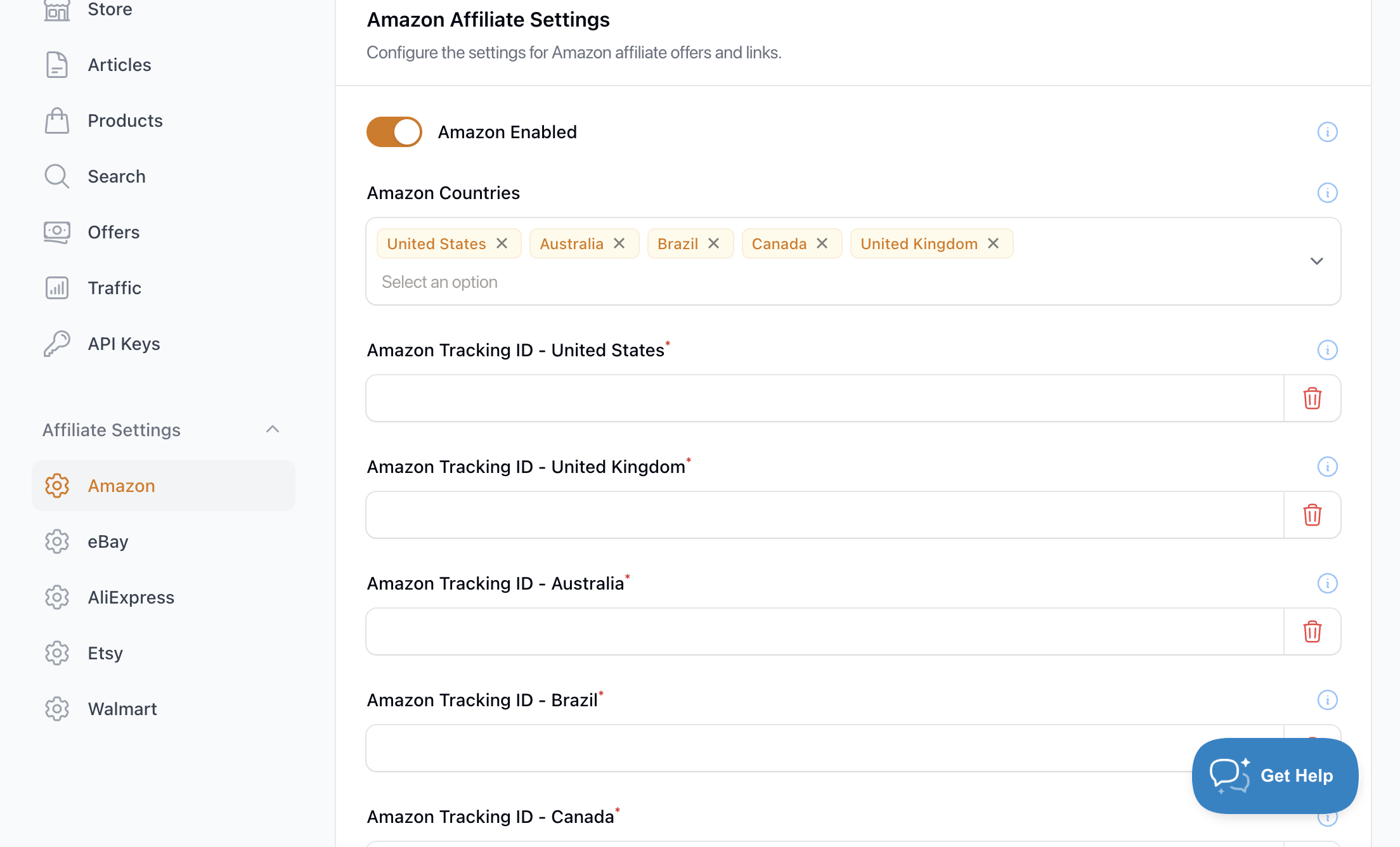
-
Once you choose the locales you want to use, the Amazon tracking ID option will show. You only need to add your Tracking ID. You do not need to add API keys.
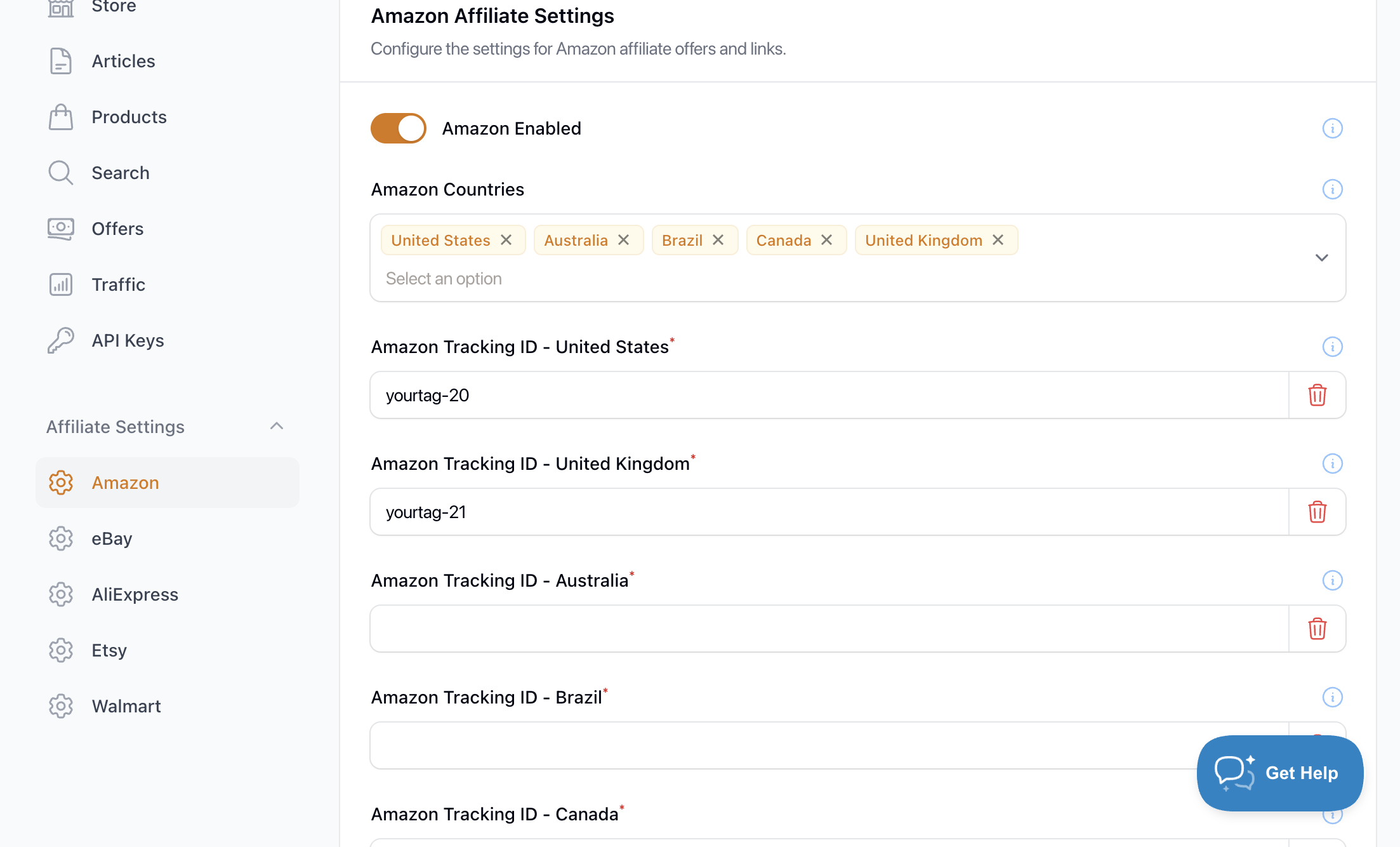
- The last step is to click on Save Changes, located at the bottom of the page. This will make sure that your tracking IDs are saved and used for the product listings.
*Please note that if you do not add your tracking IDs, the affiliate has no way to track your clicks and sales.